
Download TrainMore – fitness app, workout planner, exercise tracker, home workout, gym training, training timer, workout goals, fitness tracker
Overview
TrainMore is a free fitness application designed for Android users seeking a straightforward way to manage their workouts and achieve personal fitness goals. Developed by Virtuagym Professional, the app caters to a broad audience, including athletes, festival-goers, vacationers, and individuals with busy schedules who still want to maintain an effective training routine. Its primary purpose is to simplify the process of planning, executing, and tracking workouts through intuitive tools and professionally designed exercise content.
The app enables users to set personalized goals, choose from a variety of exercises, and use a built-in timer to maintain workout rhythm. All exercises are presented with clear images, enhancing accessibility and reducing the risk of improper form. TrainMore supports both home and gym-based training, making it adaptable to different environments and fitness levels.
The app is regularly updated, ensuring ongoing improvements and content freshness. It is available exclusively on the Google Play Store, offering a secure and verified distribution channel. The developer did not provide additional details about the app’s technical background or development philosophy.
Key Features & Capabilities
- Workout Goal Setting – Users can define specific fitness objectives, such as building strength, improving endurance, or enhancing flexibility, allowing the app to tailor exercise recommendations accordingly.
- Professional Exercise Design – All workouts are created by certified trainers, ensuring scientifically sound and safe routines suitable for various fitness levels.
- Visual Exercise Guidance – Each exercise is accompanied by clear, high-quality images to help users understand proper form and execution.
- Customizable Training Timer – A built-in timer allows users to structure their workouts with intervals, sets, and rest periods, ideal for circuit training or HIIT sessions.
- Exercise Categorization by Level – Exercises are sorted by difficulty—beginner, intermediate, and advanced—making it easy for users to select routines that match their current fitness level.
- Flexible Training Environment Support – The app supports both home workouts and gym sessions, enabling users to train anywhere with minimal equipment.
These features collectively support consistent training habits by reducing decision fatigue and increasing motivation. For example, a busy professional can use the app during a lunch break to complete a 20-minute home workout, while an athlete might use the timer and goal-setting tools to structure a high-intensity training session. The app’s focus on clarity and simplicity ensures that users can start training immediately without needing prior experience.
User Interface, Workflow & Performance
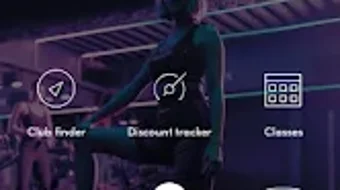
The user interface of TrainMore is designed with simplicity and accessibility in mind. Navigation is straightforward, with a clean layout that prioritizes key functions such as starting a workout, viewing exercises, and setting goals. The main screen likely features a categorized list of exercises, with visual cues indicating difficulty level and type.
Users can quickly select a routine, start the timer, and begin training with minimal interaction. The workflow is linear and intuitive, reducing the learning curve for new users. The app’s performance is expected to be stable on compatible Android devices, given its lightweight size of 15.7 MB.
However, exact performance details such as CPU or RAM usage were not specified. The developer did not provide information about background processes, battery consumption, or responsiveness under load. General software behavior patterns suggest that the app functions smoothly during active use, but users are advised to monitor performance on older or lower-end devices.
Stability appears to be maintained through regular updates, which may include bug fixes and optimization improvements.
Compatibility & System Requirements
TrainMore is designed for Android operating systems and is available in version 2.1.1. The app has a download size of 15.7 MB, indicating a lightweight footprint suitable for devices with limited storage. It is distributed exclusively through the Google Play Store, ensuring compatibility with devices that meet Google’s minimum platform standards.
The developer did not specify exact system requirements, including minimum Android version, RAM, or processor specifications. As such, compatibility information is limited to the provided OS and version details. Users should ensure their device is running a supported version of Android to install and run the app successfully.
The developer did not provide information about hardware requirements beyond the OS. Performance on specific devices may vary, and users are encouraged to check the Google Play Store listing for any additional compatibility notes.
Pros and Cons
Pros
- Free to download and use with no in-app purchase barriers
- Professional trainers design all workout content for safety and effectiveness
- Clear visual guidance with images for every exercise
- Simple, intuitive interface suitable for beginners and experienced users alike
- Supports both home and gym-based training with minimal equipment
- Regular updates ensure ongoing improvements and content refresh
Cons
- No information provided about offline functionality
- Only available for Android, limiting access for iOS users
- Exact system requirements and hardware compatibility details were not listed
- Performance metrics such as battery usage or memory consumption were not disclosed
- App functionality is limited to Android, with no desktop or web version available
FAQ Section
Is TrainMore available for iOS devices?
Currently, TrainMore is only available for Android. The developer has not released an iOS version, and no information was provided about future plans for other platforms.
Is the app safe to download and use?
Yes, TrainMore is available through the Google Play Store, which provides security checks and verified distribution. The app is free and does not require sensitive permissions beyond basic functionality.
How often is TrainMore updated?
The app is updated regularly, according to the developer’s statement. Users can expect new content, improvements, and bug fixes through these updates.
Does TrainMore require an internet connection?
While the app’s core features like workout timers and exercise displays may function offline, the developer did not specify whether full functionality requires an internet connection. Users are advised to test offline use based on their needs.
Can I use TrainMore without creating an account?
Based on available information, the app does not require registration or account creation. Users can start using it immediately after installation, though some features may require user data storage.
Final Thoughts
TrainMore stands out as a practical, no-frills fitness tool for Android users who want to stay active without the complexity of premium apps. Its focus on clear visuals, professional content, and simple navigation makes it accessible to users of all experience levels. While it lacks advanced tracking features or cross-platform availability, its core strengths—affordability, ease of use, and consistent updates—make it a reliable choice for anyone committed to regular training.
Whether you're training at home, between events, or on the go, TrainMore provides a straightforward path to better fitness. For those seeking a free, well-designed workout planner with visual guidance and professional input, this app delivers solid value. Download TrainMore now.







